 cDash
Media monitoring
One feed of official sources: municipalities, police, emergency services, administrations. AI highlights what matters.
cDash is a digital newsroom platform for WordPress publishers: source monitoring, AI rewriting and auto-publishing, live chronicles, news SEO from Google Search Console data and a fast editor with content briefs. Less routine - more readers.
Runs on top of WordPress: your site, your data, no migration.

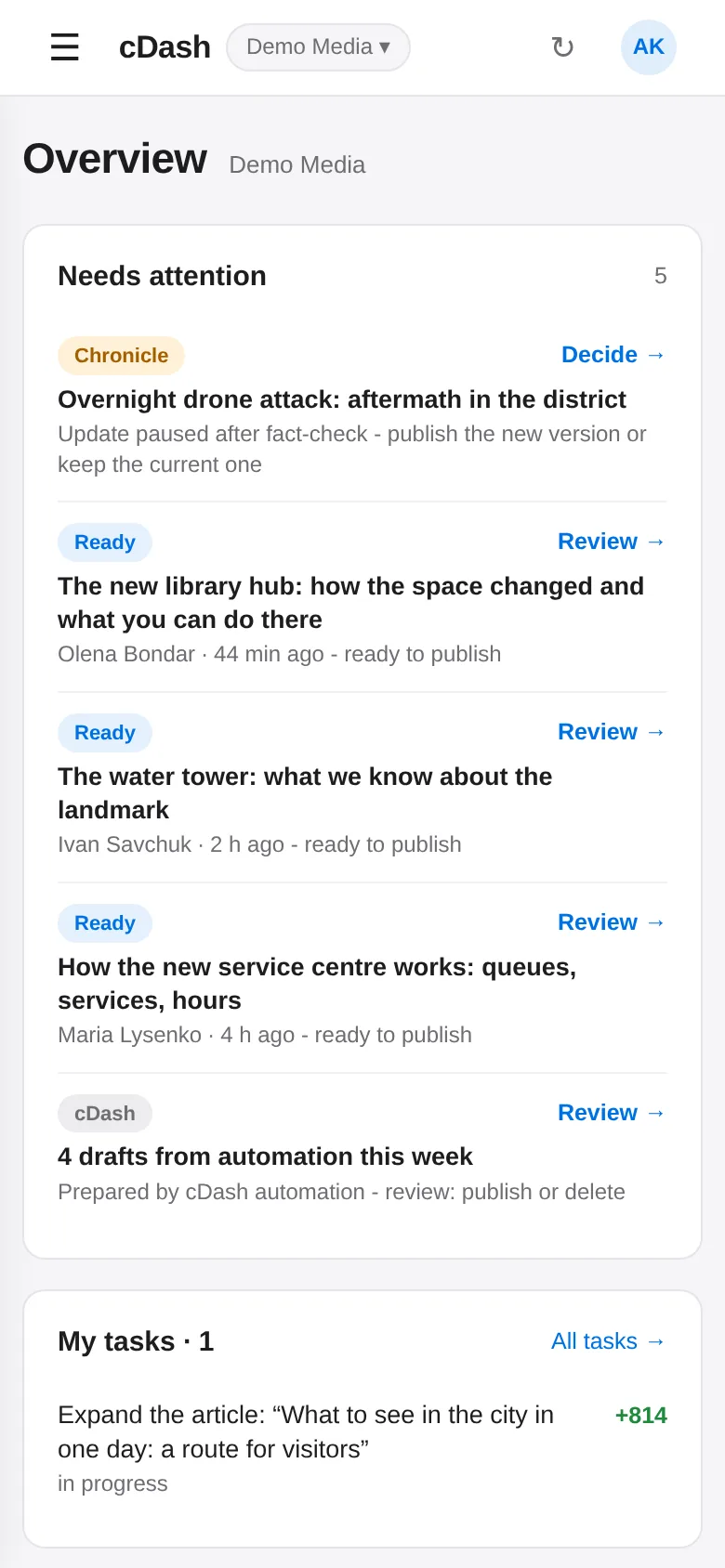
Screenshots show demo data. Click through the interface yourself in the demo. Try the demo →
AI tools for journalists and editors - modules can be enabled per site.
One feed of official sources: municipalities, police, emergency services, administrations. AI highlights what matters.
Rewrite and publish from sources in your outlet’s style: topic filters, duplicate protection, photos, alt text, SEO fields.
Collects reports of attacks, merges facts from several sources, checks them and keeps one article from first report to summary.
Outage schedules and emergency blackouts - published automatically as soon as utility data changes, with protection from flapping.
Daily, from Google Search Console data: what to expand, refresh, retitle or write from scratch - with an estimated reader gain and a comparison with the top results.
Holidays, seasons and events in advance: the article is live when people start searching.
The familiar WordPress block editor with an SEO content brief, headline and SEO generation, cover images and autosave.
“In progress” → “Ready to publish” → “Published”: who writes what, what’s urgent, what awaits review.
Views, readers and Google clicks by article, author and section - plus an honest result for every completed task.
National statistics and Prozorro procurement: a ready dataset for data-driven stories.
Push notifications only for what matters: an article is ready, a chronicle needs a decision, a task was assigned.
Superadmin, editor, writer - one login for all sites. A writing log shows the text is genuinely original.
Open cDash and see what needs attention right now: an article ready to publish, a chronicle awaiting a decision, an urgent task, drafts prepared by automation.
Every day cDash analyses Google Search Console, search volumes and competitors and gives writers concrete tasks: what to expand, what to refresh before the season, which article to write.

All official regional sources in one colour-coded feed. Pipelines rewrite news in your style and publish them or leave them for review.

Every article with a clear status: in progress, ready to publish, prepared by automation. Editors see what to review, writers see what to finish.

Your site stays where it is: cDash works through secure WordPress application passwords.
Search Console, Analytics and Keyword Planner power tasks, analytics and result tracking.
Source feeds, pipelines, chronicles and sections - tuned to your region and format.
Roles, a login for everyone, phone notifications. Task results in reports.
Fast news from official sources, attack and outage chronicles, local guides that capture search traffic.
Reviews and guides that grow in Google: tasks from SERP data, competitor comparison, updates to older content.
Several outlets in one workspace: one login, per-site roles, shared costs and reports.
cDash is AI newsroom software by Media Content Group for publishers running on WordPress. It combines a source feed, AI publishing automation, live chronicles, SEO tasks from Google data, an editor and team workflow.
No. cDash connects to your existing WordPress site through application passwords and works with it directly.
Newsroom software helps editorial teams find stories, write and publish them, and track results. cDash does this on top of WordPress, adding AI automation and news SEO driven by Google data.
Yes - but it supports journalists rather than replacing them: AI handles routine rewrites, chronicles and outage updates, suggests topics and content briefs, while original stories are written by people.
Every day it analyses Google Search Console, search volumes and competitors and creates concrete tasks: which articles to expand, refresh, retitle or create - with an estimated reader gain.
WordPress, Google Search Console, Google Analytics 4, Google Keyword Planner, DataForSEO, Claude AI, Telegram and push notifications.
Yes. cDash installs as an app on iPhone and Android and sends push notifications.
Email [email protected] - we will walk you through the platform, connect your site and set up the modules for your newsroom.
Write to us - we will demo the platform, connect your site and set up the modules for your format.